%20--%3e%3cdefs%3e%3cstyle%3e%20.st0%20{%20fill:%20%23ffffff;%20}%20%3c/style%3e%3c/defs%3e%3cpath%20class='st0'%20d='M676.3,451.74h78.19v31.97h-114.19v-140.37h36v108.4ZM318.72,343.34l-58.29,104.84c-1.22,2.2-3.54,3.56-6.05,3.56h-11.82v-108.4h-36v140.37h56.8c11.42,0,21.95-6.19,27.5-16.17l69.05-124.2h-41.19ZM312.61,483.71h41.19l58.35-104.95c1.22-2.2,3.54-3.56,6.05-3.56h11.82v108.51h36v-140.37h-56.86c-11.42,0-21.95,6.19-27.5,16.17l-69.05,124.2ZM908.27,470.25l50.86-91.48c1.22-2.2,3.54-3.56,6.05-3.56h11.82v108.51h36v-140.37h-56.86c-11.42,0-21.95,6.19-27.5,16.17l-49.19,88.48c-1.29,2.31-3.72,3.74-6.37,3.74h-61.13v-108.4h-36v140.37h109.43c9.51,0,18.27-5.15,22.89-13.46ZM490.32,483.71h128.5v-31.97h-92.5v-24.09h74.61v-29.43h-74.61v-23.01h92.5v-31.86h-128.5v140.37Z'/%3e%3c/svg%3e)

The cost of finding out the hard way
Better decisions, before you make them
The standard way to test a change in a building is to make the change and see what happens, reorganise a lobby and you find out two weeks later that the new flow backs queues into the security line, add a new tenant on a floor and the lift dispatch pattern stops working for the morning peak, or shift the cleaning schedule and discover after a week of complaints that the cafeteria is being closed exactly when half its capacity is still in use.
Pilots take a quarter, budgets take longer, and mistakes take political capital, particularly when tenants are the ones who notice them.
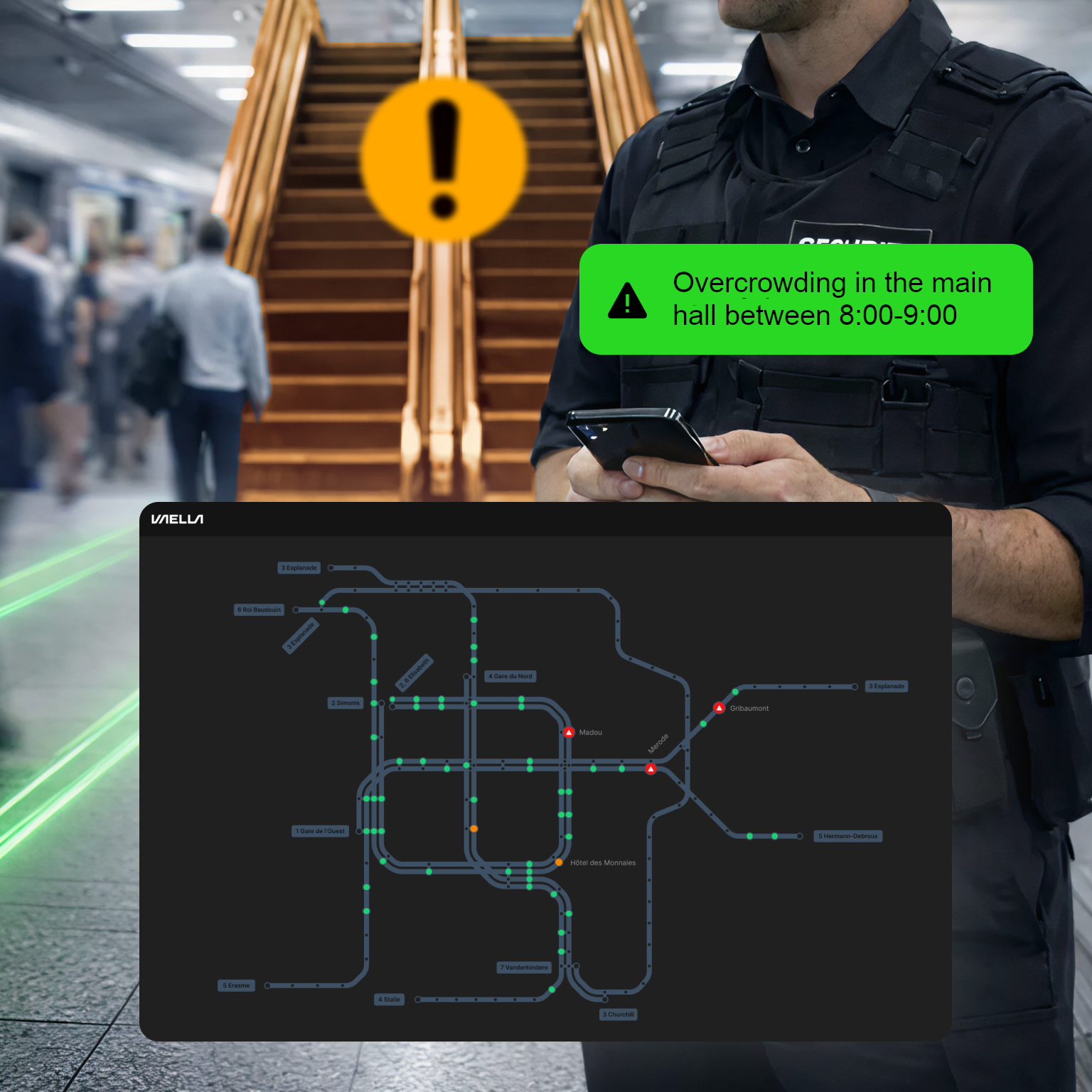
Vision AI already sees what is happening in your building in real time through Vision Sensors, and the Digital Twin already remembers what has happened going back as far as the deployment. Simulation is the third leg of that capability: the ability to run the building forward against the questions you actually want to ask, before any change reaches the real operating rules of the building.
The capability
Run forward from what this building actually does
A simulation is only useful if it is grounded in the place you are simulating, a generic crowd model that assumes people move at 1.4 m/s and queues form at 2 per square metre gives you generic answers, while a simulation grounded in your building's history gives you answers that match the way your building actually behaves.
VAELLA simulation runs against the Digital Twin, using your own data as the historical baseline, last Tuesday's morning peak, last winter's lift dispatch behaviour, the way the cafeteria emptied on a typical Wednesday. A scenario applies a change to that baseline and projects what would happen, and the output is grounded in the same patterns Vision AI already learns from every day.
This is why we treat simulation as part of Vision AI's job rather than as a separate consulting engagement, same data, same model, same Vision AI, with the only difference being that the question is about the future rather than the present.
The questions it answers
Three classes of "what if"
People movement
What happens to flow if we close gate 3 during the morning peak?
Simulation replays a representative morning with the change applied, showing where the flow redistributes, where queues form, how dwell shifts in the surrounding zones, and how long the rebalancing takes. The output is a side-by-side comparison of today's pattern versus the simulated pattern with the differences highlighted.
This class of question matters most for security teams, transit operators, and asset managers planning a refurbishment, because the cost of getting people-flow wrong is days of complaints and sometimes real safety risk.
Vertical transport
What would morning lobby waits look like if we held back two cars for the executive floors during the 08:30 peak?
Simulation takes the actual lift dispatch data from the past month, applies the new policy, and projects waiting times floor by floor, including the floors that gain capacity and the ones that lose it. It can answer "how long does the average lobby wait become at 08:45?" alongside "how often do people now wait more than 30 seconds?".
This class of question matters most for asset managers responding to tenant feedback and building managers shaping the morning peak, and vertical transport is the integration we know best, the one where the simulation has the deepest signal to work with.
Resilience
If Escalator E3 goes out at 08:15 on a Friday, where does the spillover go and how should staff redirect?
Simulation runs the failure scenario against the morning's flow pattern, shows the response options: redirect to E4, increase lift service on the adjacent bank, deploy two staff at the spillover zone, and ranks them by predicted queue length and recovery time.
This class of question matters most for operations and safety teams planning incident response, because it is anchored in real flow data rather than in someone's best guess about a Friday morning.
How Vision AI uses it
You do not have to be the one running it
Simulation is a tool the team can use directly, sketch a layout change in the spatial view, define a scenario, run it forward, compare the outcome to today, save it, share it with the asset manager, and bring it to the capital committee with the simulated numbers attached.
But simulation is most useful when Vision AI runs it on your behalf. Vision AI spots a recurring inefficiency, "lobby lift queues exceed 30 seconds every weekday between 08:30 and 08:50, but two cars are idle on upper floors during that window", and drafts a recommendation to pre-position those cars to the lobby at 08:25. Before the recommendation lands in your channel, simulation tests it against last month's actual dispatch data and projects the queue-time improvement, the impact on upper-floor waits, and the trade-offs.
What you see in chat is not a raw recommendation but rather "here is what I propose, and here is what would have happened if we had done this every weekday last month." The team decides whether to approve, and Vision AI never makes the change unilaterally, but it never asks for a decision without showing you the work.
For the hire that runs this on your behalf, see Vision AI.
Where the numbers land
Capital cases and ESG submissions
The audience for simulation outcomes goes beyond the operations team.
For asset managers, simulation shortens the loop between "we should change something" and "we have evidence to bring to the capital committee", a pilot would take a quarter and a budget, while a simulation takes hours on data the platform already holds, and the numbers are projected from the way the building has actually behaved rather than being hypothetical.
For sustainability and ESG leads, simulated outcomes feed certification and reporting frameworks without waiting a year for real-world data, because auditors increasingly want to see occupancy-grounded evidence, "the building actually had this many people, on these days, in these zones", rather than design-stage assumptions. Simulation gives you that grounding from day one of the deployment.
The output of a simulation is a structured artefact containing a scenario description, the baseline data window it ran against, the projected outcomes, and the confidence level, shareable, citable, and auditable rather than a slide that says "trust us, this will work".
Honest limits
A model, not a forecast
A simulation is a model rather than a forecast, and it is at its best when the question is directional, "is this change a good idea, roughly speaking?", rather than when the question demands the kind of pinpoint precision a weather model delivers.
Simulation accuracy depends on the depth of the historical baseline: a brand-new deployment runs simulations against a thinner record than a deployment that has been collecting data for two years, and the model becomes more reliable as the Digital Twin learns the building. We tell you what window the simulation ran against, every time.
And edge cases, such as a one-off concert next door, a fire drill on a day the building has never seen one before, or a tenant move-out that empties two floors at once, cannot be fully predicted from history alone. Simulation handles routine variation well and handles novelty by labelling it as such rather than by guessing.
What's next
The three pieces, working together
Vision Sensors see the people, the Digital Twin remembers what has happened, Simulation runs forward from that memory, and Vision AI turns all three into action.
The hire that operated your building and runs simulations on your behalf
The memory that grounds the simulation
The eyes that fill the memory and give possibility to react to real world